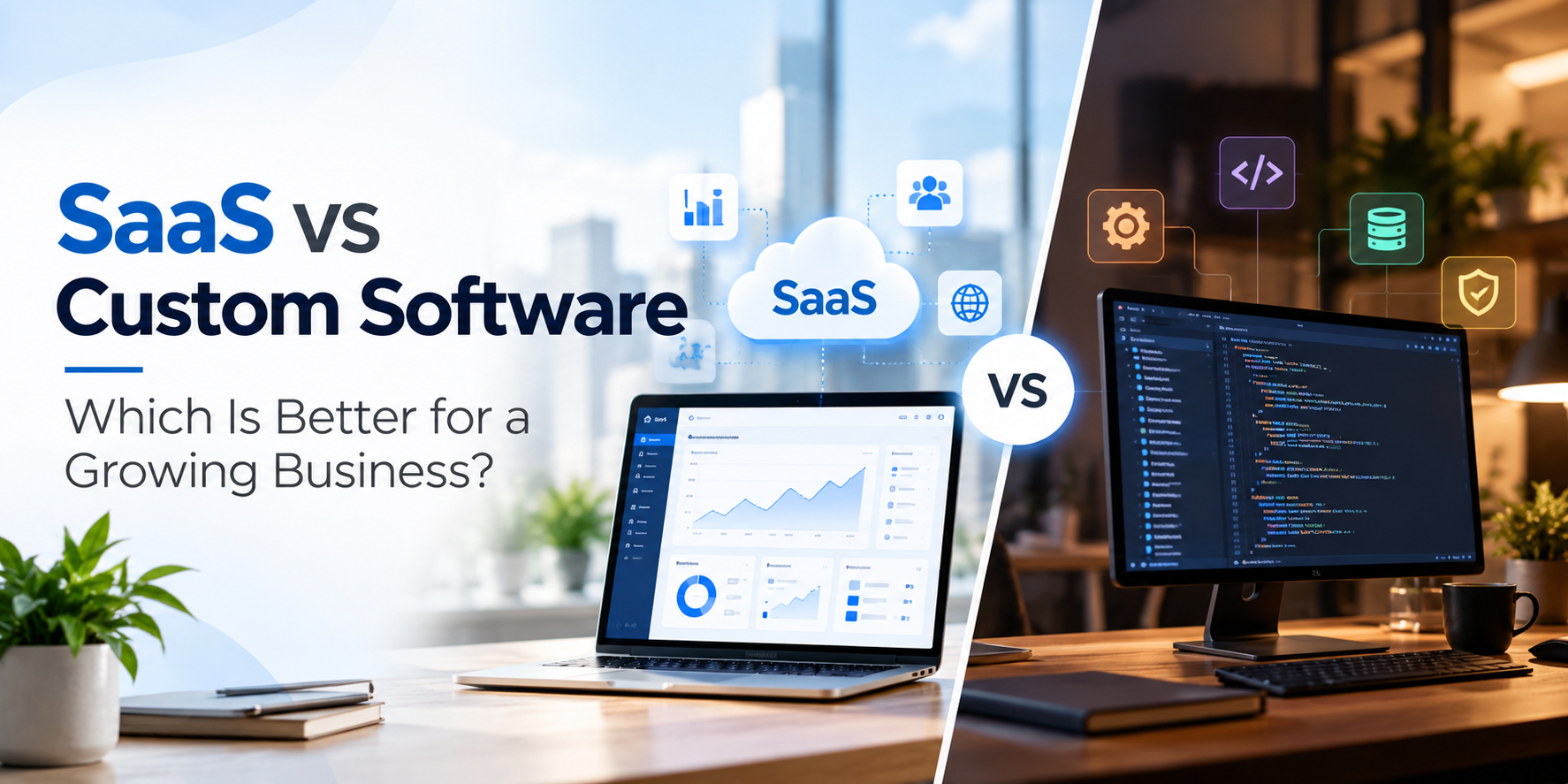

Choosing the right software is an important decision for a growing business. What works when a company has ten employees, a handful of customers and a relatively simple operating structure may not be suitable once it starts managing multiple departments, larger customer volumes and more complex workflows.
This is where the decision between Software as a Service (SaaS) and custom software becomes particularly relevant. Both options can help businesses improve efficiency, manage information and support growth, but they approach software delivery in very different ways.
SaaS gives businesses access to ready-made applications through a subscription, usually hosted and maintained by an external provider. Custom software, on the other hand, is developed around an organisation’s specific requirements, allowing greater control over features, workflows and technical architecture.
At first glance, SaaS often appears to be the more affordable option because it requires less initial investment. Custom software can involve significant development costs, but it may provide better long-term value when a business has specialised requirements or needs greater control over its technology.
So, when comparing SaaS vs custom software, which is the better choice for a growing business? The answer depends on factors such as subscription costs, customisation, data ownership, system integration, scalability and the level of operational flexibility the organisation needs.
What Is SaaS Software?
Software as a Service (SaaS) is a software delivery model in which applications are hosted by a service provider and accessed by customers through the internet.
Instead of purchasing software licences and managing the infrastructure independently, businesses pay a recurring subscription to use the application. The provider generally manages hosting, maintenance, updates, security infrastructure and technical support, according to the service agreement.
Common examples include:
- Customer relationship management: Salesforce and HubSpot.
- Project management: Asana and Monday.com.
- Accounting and finance: Xero and QuickBooks Online.
- Communication and collaboration: Microsoft 365 and Google Workspace.
- E-commerce: Shopify.
SaaS platforms are designed to serve multiple customers through a shared product architecture, although providers may offer different levels of configuration, data separation and dedicated infrastructure.
For growing businesses, this model offers a relatively quick way to introduce new capabilities without building and maintaining the underlying application.
What Is Custom Software?
Custom software is an application developed specifically for an organisation’s requirements. Rather than adapting an existing product to fit its operations, the business commissions or develops a solution around its own workflows, processes and objectives.
Custom software can be developed internally or through an external software development company. Depending on the agreement, the organisation may own the source code, receive a licence to use the application or retain certain intellectual property rights.
Examples include:
- A manufacturing execution system designed around a company’s production processes.
- A procurement platform connected to specific supplier approval workflows.
- A customer portal with specialised pricing and account management features.
- An inventory management system built around unique warehouse operations.
- A business management platform connecting finance, sales, production and logistics.
- A booking platform designed for a particular service or industry.
Custom development offers greater control over functionality and system architecture. However, the organisation also needs to consider ongoing maintenance, hosting, security, upgrades and technical support.
The initial development project is only one part of the investment. The application must continue to operate reliably as the business grows and its requirements change.
SaaS vs Custom Software: Key Differences
Although both models provide software capabilities, their commercial and technical structures differ.
| Comparison factor | SaaS | Custom software |
| Initial investment | Usually low | Usually higher |
| Payment structure | Recurring subscription | Development cost plus ongoing maintenance |
| Customisation | Limited to available features and configuration | Built around specific requirements |
| Deployment | Usually faster | Depends on development complexity |
| Data ownership | Governed by provider contract and terms | Governed by development, hosting and ownership agreements |
| Integration | Depends on available APIs and connectors | Can be designed around required systems |
| Maintenance | Generally managed by provider | Business or development partner is responsible |
| Scalability | Depends on subscription plans and platform architecture | Can be designed for specific growth requirements |
| Flexibility | Limited by product roadmap and configuration options | Greater control over functionality and architecture |
| Vendor dependency | Dependence on SaaS provider | Dependence on developers, hosting and technology choices |
The differences become more important as a business grows. A company that initially needs a straightforward CRM or accounting application may be well served by SaaS. An organisation with specialised operational processes may eventually need a solution that can accommodate requirements beyond what standard products offer.
1. Cost: Subscription Fees vs Development Investment
Cost is often the first consideration when businesses compare SaaS vs custom software.
The two models have different cost structures, and comparing only their initial prices can lead to an inaccurate decision.
SaaS Costs
SaaS applications generally operate through monthly or annual subscriptions. Pricing may be based on the number of users, selected features, transaction volumes, storage requirements or usage levels.
For example, a growing business might start with a basic subscription for its sales team. As it hires more employees and requires advanced reporting, automation or integrations, it may need to move to a higher pricing tier.
Typical SaaS costs include:
- Monthly or annual subscription fees.
- Additional user licences.
- Premium features and add-on modules.
- Data storage or transaction charges.
- Integration and implementation costs.
- Training and onboarding.
- Additional support or service packages.
The advantage is that businesses can access software without funding a large development project. However, subscription costs continue for as long as the service is required.
As the number of users increases, recurring expenses can become significant. A platform that initially costs very little may become a substantial annual expense when deployed across multiple departments.
Custom Software Costs
Custom software requires an upfront investment in planning, design, development, testing and deployment.
The cost depends on the complexity of the application, the number of integrations, security requirements, user interfaces and the technology stack.
Additional expenses may include:
- Business analysis and requirements gathering.
- UI and UX design.
- Software development and testing.
- Cloud infrastructure and hosting.
- Cybersecurity and compliance.
- Maintenance and technical support.
- Future upgrades and feature development.
Although the initial investment is higher, the business has greater control over how the application develops and what features are prioritised.
For a company with hundreds of users, specialised workflows or expensive SaaS licensing requirements, custom development may become financially attractive over time.
Which Is More Cost-Effective?
The answer depends on the total cost of ownership (TCO), not simply the initial price.
Consider a hypothetical business comparing a SaaS platform with a custom application.
| Cost consideration | SaaS option | Custom option |
| Initial setup or development | $5,000 | $60,000 |
| Annual subscription or maintenance | $18,000 | $10,000 |
| Three-year total | $59,000 | $90,000 |
| Five-year total | $95,000 | $110,000 |
In this example, SaaS remains less expensive over five years. However, if subscription fees increase substantially with user growth, or the custom application replaces several separate software subscriptions, the financial comparison could change.
Businesses should calculate costs over at least three to five years and include implementation, integration, support, training and potential migration expenses.
2. Customisation: Standard Features vs Business-Specific Requirements
Customisation is one of the biggest differences between SaaS and custom software.
As businesses expand, their processes often become more specialised. They may introduce additional approval stages, develop unique reporting requirements or need to connect departments that previously operated independently.
Customisation in SaaS
Most SaaS platforms provide configuration options that allow users to adapt the application without changing its underlying source code.
Depending on the platform, businesses may be able to:
- Create custom fields and dashboards.
- Configure user permissions.
- Automate standard workflows.
- Set up approval processes.
- Customise reports.
- Connect third-party applications.
These capabilities are sufficient for many organisations. However, there are limits to how far a business can modify a shared software product.
If a company needs a workflow that the platform does not support, it may have to change its internal processes, purchase an additional module or use a third-party integration.
This can create operational compromises when the software does not align with how the organisation actually works.
Customisation in Custom Software
Custom software allows functionality to be developed around the organisation’s requirements.
For example, a manufacturer may need a system that automatically allocates production capacity based on machine availability, material readiness, product complexity and delivery deadlines.
A generic SaaS application may support parts of this process, but a custom solution can be designed around the complete workflow.
The organisation can also decide how users interact with the system, what information is displayed and how different departments share data.
The trade-off is that every additional feature requires development effort. Changes need to be assessed, tested and maintained, which can increase the long-term cost of ownership.
Verdict: SaaS is suitable when standard workflows and configuration options are sufficient. Custom software is more appropriate when business processes are distinctive and the limitations of existing platforms create measurable operational problems.
3. Data Ownership, Security and Control
Business data is one of an organisation’s most valuable assets. It includes customer information, financial records, supplier details, commercial agreements, employee information and operational performance data.
Understanding how data is stored, accessed, managed and transferred is therefore essential when choosing a software model.
Data Ownership in SaaS
When using SaaS, business information is generally stored within infrastructure managed by the provider or its hosting partners.
The organisation may retain ownership of the data it uploads, but the exact rights and responsibilities depend on the contract, privacy terms and applicable regulations.
Before selecting a provider, businesses should review:
- Data ownership and usage rights.
- Data storage locations and residency requirements.
- Security controls and encryption practices.
- User access and permission management.
- Backup and disaster recovery arrangements.
- Data export and portability options.
- Data deletion procedures when the contract ends.
- Incident reporting and breach notification responsibilities.
A key concern is vendor dependency. If the business decides to move to another platform, it needs to understand whether its information can be exported in a usable format and how much effort migration will require.
Data Ownership in Custom Software
Custom software can provide greater control over the data environment, particularly when the organisation determines where the application is hosted and how information is managed.
A company may choose its own cloud provider, define access policies and establish specific data retention requirements.
However, custom software does not automatically mean the business owns everything associated with the application. Contracts must clearly distinguish between ownership of business data, source code, software intellectual property and third-party components.
For example, a development company may retain ownership of reusable software components while granting the client rights to use or modify the application.
These arrangements should be agreed before development begins.
Verdict: Custom software can provide greater control over the technology and data environment, but SaaS can also offer strong security and data governance. The deciding factors should be contractual rights, security requirements, compliance obligations and data portability rather than the software model alone.
4. System Integration: Connecting Business Applications
Growing businesses rarely operate through a single software application. They use different platforms to manage sales, accounting, procurement, inventory, customer relationships, marketing and operations.
When these systems operate independently, employees often need to transfer information manually. This creates duplication, delays and inconsistencies.
SaaS Integration
Many SaaS platforms offer application programming interfaces (APIs), pre-built connectors and integration marketplaces.
These allow businesses to connect applications without developing every integration from scratch.
For example, an e-commerce platform can be connected to accounting software to synchronise sales transactions. A CRM platform can also be connected to marketing tools to share customer information and campaign activity.
However, integrations depend on what the SaaS provider supports.
Some platforms restrict API access to higher subscription tiers, impose usage limits or charge additional fees. Changes to third-party APIs can also affect existing integrations.
Businesses should evaluate integration capabilities before committing to a platform, particularly when several core applications need to exchange information.
Custom Software Integration
Custom software can be designed to communicate with the organisation’s existing technology environment.
Developers can build integrations around specific APIs, databases, business rules and data structures.
This is particularly useful when the business operates legacy applications or specialised systems that do not integrate easily with standard SaaS platforms.
For example, a manufacturing organisation may need to connect ERP, production planning, warehouse management and machine monitoring systems. A custom integration layer can be developed to manage data exchange and support workflows across these applications.
However, integration complexity should not be underestimated. Poorly designed interfaces can create maintenance problems, security vulnerabilities and data inconsistencies.
Verdict: SaaS is often easier to integrate when supported connectors are available. Custom software provides more flexibility when integration requirements are specialised or existing systems have limitations.
5. Operational Flexibility and Scalability
A growing business needs technology that can accommodate changing requirements without disrupting operations.
This includes adding users, expanding into new markets, introducing additional services, changing business processes and managing higher transaction volumes.
SaaS Flexibility
SaaS platforms are generally designed to support growth through subscription tiers and configurable features.
Businesses can add users, purchase additional modules or increase usage capacity as requirements change.
This makes SaaS attractive to organisations that want to expand without managing their own software infrastructure.
However, flexibility is limited by the provider’s product architecture and commercial model.
If a company requires a feature that is not available, it may need to wait for the provider’s product roadmap, use an external application or change its processes.
The business is also dependent on the provider’s decisions regarding pricing, product updates and service availability.
Custom Software Flexibility
Custom software can be designed to support a company’s anticipated growth and operational requirements.
The organisation can prioritise new features, modify workflows and introduce integrations based on business needs.
For example, a business that initially operates in one country may later expand into multiple markets. Its custom application could be designed to accommodate different currencies, tax rules, languages and regional workflows.
However, flexibility comes with responsibility. The organisation must ensure that its architecture can scale, that developers can maintain the codebase and that infrastructure can support increased usage.
A poorly designed custom application can become difficult and expensive to expand.
Verdict: SaaS provides convenient scalability within the limits of the platform. Custom software offers greater architectural and operational control, provided it is designed and maintained properly.
6. Implementation Time and Maintenance
The time required to introduce software can affect business operations, especially when a company needs to address an immediate problem.
SaaS Implementation
SaaS applications are usually faster to deploy because the core product has already been developed.
Implementation may involve account configuration, data migration, user permissions, integration, training and workflow setup.
A straightforward application can be introduced relatively quickly, although enterprise deployments may take considerably longer.
The provider generally handles platform maintenance, infrastructure updates and product improvements.
Custom Software Implementation
Custom development involves a longer process because the application must be designed, built and tested.
The project may require:
- Requirements analysis and process mapping.
- Technical architecture and solution design.
- User interface development.
- Application development.
- Integration with existing systems.
- Security and performance testing.
- User acceptance testing.
- Deployment and employee training.
After launch, the organisation remains responsible for ensuring that the application is maintained and updated.
This may involve an internal technical team or a long-term development partner.
Verdict: SaaS is generally faster to implement and requires less direct infrastructure management. Custom software takes longer but allows the organisation to build a solution around its actual operating model.
SaaS vs Custom Software: Which Option Is Better for Different Business Requirements?
The best choice becomes clearer when the software decision is considered in relation to specific business situations.
| Business requirement | More suitable option | Reason |
| Standard accounting and invoicing | SaaS | Established features and faster deployment |
| Basic CRM and sales tracking | SaaS | Most businesses can use standard workflows |
| Project and task management | SaaS | Existing platforms offer flexible configuration |
| Specialised manufacturing workflows | Custom software | More control over production processes |
| Unique customer portals | Custom software | Functionality can be designed around customer requirements |
| Complex legacy system integration | Custom software or hybrid | Integration can be developed around existing architecture |
| Rapid market entry | SaaS | Lower initial investment and shorter implementation |
| Highly specialised reporting | Custom software or hybrid | Reporting can be tailored to business requirements |
| Standard HR and payroll management | SaaS | Established platforms can cover common processes |
| Proprietary business processes | Custom software | Greater control over functionality and workflows |
These are general guidelines rather than fixed rules. Many businesses combine SaaS applications with custom development to achieve the right balance.
When Should a Growing Business Choose SaaS?
SaaS is usually the better option when the business needs established software capabilities and does not have a strong reason to build its own application.
It is particularly suitable when:
- The business has limited initial technology investment.
- Standard workflows meet most operational requirements.
- The company needs to deploy software quickly.
- Internal technical resources are limited.
- The application is not a major source of competitive differentiation.
- The provider offers the required integrations and security controls.
- Subscription costs remain reasonable as the business grows.
For example, a small professional services company may need accounting, CRM, email marketing and project management software. Building these applications independently would add unnecessary cost and complexity when established SaaS products already provide the required capabilities.
The business can focus its resources on customers, service delivery and growth rather than maintaining several software applications.
When Should a Growing Business Choose Custom Software?
Custom software becomes more attractive when standard applications cannot support important business processes or when technology requirements have become strategically significant.
It may be the better option when:
- The business has workflows that are difficult to accommodate within standard applications.
- Existing SaaS subscriptions have become expensive at scale.
- Several systems need complex integration.
- The organisation requires specialised reporting or automation.
- Greater control over application architecture and data infrastructure is necessary.
- The software supports a competitive advantage or proprietary operating model.
- The organisation has the budget and technical capability to maintain the solution.
Consider a manufacturer that operates across multiple factories and manages complex production schedules, material requirements and quality controls. If its existing software cannot connect these activities effectively, custom development may provide a more suitable solution.
The value should be assessed against measurable outcomes such as reduced manual work, improved production visibility, lower operating costs and better delivery performance.
The Hybrid Approach: Combining SaaS and Custom Software
Choosing between SaaS and custom software does not have to be an either-or decision.
Many growing businesses benefit from a hybrid approach, where established SaaS applications handle standard business functions while custom applications address specialised requirements.
For example, a company might use:
- SaaS accounting software for financial management.
- A SaaS CRM platform for customer relationships.
- Cloud-based HR software for employee administration.
- Custom software for its specialised production or operational workflows.
- Custom API integrations to connect these applications.
This approach avoids rebuilding capabilities that already exist while giving the business flexibility where it matters most.
A hybrid architecture can also reduce development risk. Instead of replacing an entire technology environment, the organisation can introduce custom applications gradually and integrate them with existing platforms.
However, the business must manage integration security, data consistency, system ownership and ongoing support across multiple providers.
For many growing organisations, this offers a practical balance between cost, flexibility and operational control.
How to Decide Between SaaS and Custom Software
Before investing in either model, businesses should assess their requirements across several areas.
1. Identify the Actual Business Problem
Start by identifying the process or operational challenge the software needs to address.
Is the organisation struggling with manual reporting, disconnected systems, inefficient approvals, customer management or production visibility?
The solution should be selected based on the problem rather than the popularity of a particular technology.
2. Evaluate Existing Software
Review the applications currently used by the business.
Identify which systems are meeting requirements, where functionality is missing and whether existing platforms offer integrations or configuration options that could solve the problem.
Replacing software unnecessarily can create additional costs and operational disruption.
3. Calculate the Total Cost of Ownership
Compare the full cost of both options over a realistic period.
Include subscriptions, licences, implementation, development, infrastructure, integration, maintenance, training and future upgrades.
Also consider the cost of switching providers or migrating data if the organisation outgrows the selected platform.
4. Assess Data and Security Requirements
Determine where business information will be stored, who can access it and how it can be transferred.
Review contractual data ownership, privacy requirements, backup arrangements, access controls and incident management.
The requirements may be particularly important for businesses handling sensitive customer, employee or financial information.
5. Consider Future Business Growth
The software should support the organisation’s expected development.
Consider projected user numbers, transaction volumes, new locations, additional business units and potential changes to operating processes.
A solution that meets current requirements but becomes restrictive within a year may not be the most economical choice.
6. Assess Internal Technical Capability
Custom software requires ongoing technical oversight.
Businesses should determine whether they have the internal expertise to manage development, security, infrastructure and maintenance or whether they need a reliable external partner.
SaaS reduces some of these responsibilities but still requires platform administration, access management, integration oversight and vendor management.
Frequently Asked Questions About SaaS vs Custom Software
1. Is SaaS cheaper than custom software?
SaaS usually has a lower initial cost because businesses pay a subscription rather than funding a development project. However, recurring fees can increase as the organisation adds users, features and storage. Custom software costs more initially but may offer better long-term value when it replaces several subscriptions or supports specialised operations.
2. Does a business own its data when using SaaS?
Businesses generally retain rights to their own data, but the exact ownership, usage, access and export arrangements depend on the SaaS provider’s contract. Organisations should review data portability, storage locations, deletion procedures and contractual responsibilities before signing an agreement.
3. Is custom software more secure than SaaS?
Not automatically. Security depends on architecture, development practices, infrastructure, access controls, monitoring and ongoing maintenance. Established SaaS providers may offer mature security capabilities, while custom software can provide greater control over specific security requirements. Both models require appropriate governance.
4. Can SaaS software be customised?
Yes. Many SaaS platforms offer custom fields, workflow configuration, reporting options, integrations and automation. However, businesses are generally limited by the features and configuration options provided by the vendor.
5. How long does custom software development take?
The development timeline depends on the application’s complexity, integrations, security requirements and testing needs. A relatively simple application may take a few months, while a large enterprise platform can require considerably longer. A detailed requirements assessment is necessary before estimating delivery.
6. Can custom software integrate with SaaS applications?
Yes. Custom applications can connect with SaaS platforms through APIs, webhooks and other integration methods, provided the relevant services support them. This allows businesses to combine standard cloud applications with specialised functionality.
7. What is the difference between SaaS and bespoke software?
SaaS is a subscription-based delivery model in which customers use software managed by a provider. Bespoke software is developed for a particular organisation’s requirements. Bespoke applications can be hosted in the cloud or on infrastructure managed by the business, so custom software is not necessarily the opposite of cloud software.
8. Should a startup choose SaaS or custom software?
Most startups benefit from SaaS when they need standard business functions such as accounting, CRM, communication and project management. Custom development is worth considering when the product itself is the business’s core offering or when specialised functionality is essential to its competitive advantage.
9. Can a business move from SaaS to custom software later?
Yes. A business can replace a SaaS platform with a custom application as its requirements evolve. However, migration may involve data extraction, data transformation, integration changes, employee training and temporary operational disruption. Data portability should be considered when selecting SaaS providers.
10. Is a hybrid software model suitable for growing businesses?
Yes. A hybrid model combines SaaS applications for standard business functions with custom software for specialised workflows. It can reduce development costs while allowing businesses to retain control over the processes that make their operations distinctive.
Final Thoughts
The decision between SaaS and custom software should be based on the business’s operational requirements, financial position and long-term technology strategy.
SaaS provides a practical route to adopting established software quickly, with lower initial investment and less responsibility for infrastructure maintenance. Custom software offers greater control over functionality, integration and architecture, but requires a larger investment and a clear plan for ongoing support.
For many growing businesses, the most sensible approach is to avoid building everything from scratch. Use SaaS where standard applications can do the job effectively, and invest in custom development where existing solutions create genuine operational limitations.
Ultimately, the right software is not necessarily the one with the most features or the lowest subscription price. It is the one that supports the way the business operates today while providing enough flexibility to accommodate where it wants to go next.